
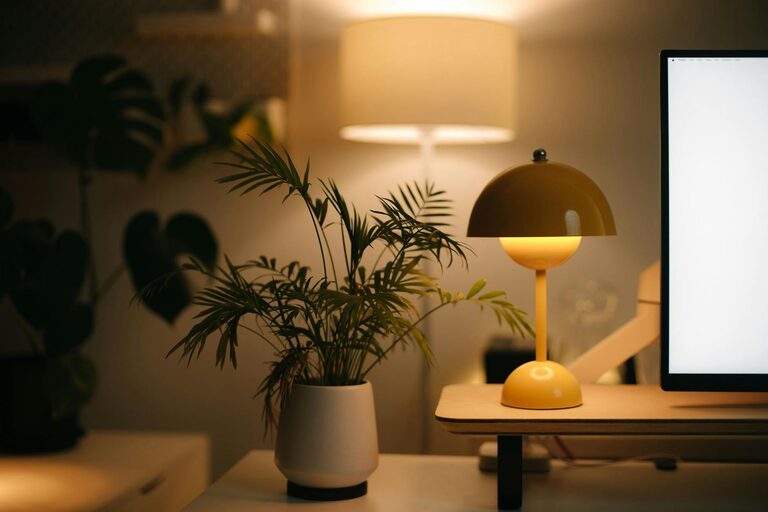
Creating a relaxing home workspace is essential for maintaining focus, reducing stress, and improving overall productivity. Whether you work remotely full-time or occasionally, setting up an area that promotes calm and concentration can make a big difference in your daily routine. Here are some practical tips to help you transform your home workspace into a peaceful and inviting environment.
Choose the Right Location
Selecting the best spot in your home for your workspace is the first step.
– Quiet Area: Opt for a space away from household noise and distractions, such as a spare room or a corner in a less trafficked area.
– Natural Light: Position your desk near a window if possible, as natural light can boost mood and energy.
– Ventilation: Good airflow keeps the area fresh and comfortable, so avoid cramped or stuffy spaces.
Invest in Comfortable Furniture
Your comfort matters when spending hours working.
– Ergonomic Chair: Choose a chair that supports your back and encourages good posture.
– Adjustable Desk: Consider a desk with an adjustable height to switch between sitting and standing.
– Adequate Surface Space: Ensure your desk has enough room for your computer, notes, and other essentials.
Keep It Organized and Clutter-Free
A cluttered desk can lead to a cluttered mind.
– Use Storage Solutions: Drawers, shelves, or bins help keep supplies tidy.
– Limit Decorations: Decorate minimally to avoid distractions but add a few personal touches.
– Daily Clean-Up: Spend a few minutes at the end of each day organizing your space.
Incorporate Calming Colors and Decor
Colors and decor can greatly influence your mood.
– Soft Tones: Shades like light blue, green, or beige promote calmness.
– Natural Elements: Incorporate plants or wooden accessories for a soothing atmosphere.
– Artwork: Choose simple and inspiring artworks that make you feel relaxed.
Control Lighting
Proper lighting is key to comfort and focus.
– Ambient Lighting: Use soft, warm lights to reduce eye strain.
– Task Lighting: A desk lamp provides focused light for detailed tasks.
– Avoid Glare: Position screens and lights to prevent reflections that can cause discomfort.
Minimize Noise Distractions
Sound control helps maintain concentration.
– Noise-Canceling Headphones: Useful in noisy environments.
– White Noise Machines or Apps: These can mask background sounds.
– Soft Fabrics: Rugs, curtains, and cushions absorb excess noise.
Personalize Your Workspace
Adding personal elements makes your space inviting.
– Photos: Family or pet pictures can create a sense of comfort.
– Motivational Quotes: Simple reminders can keep you inspired.
– Favorite Mug or Candle: Small items that bring joy.
Establish Boundaries
To keep your workspace relaxing, set limits around work time and space.
– Define Work Hours: Stick to a schedule to avoid burnout.
– Separate Work and Leisure Areas: Avoid working from places associated with relaxation, like your bed.
– Signaling: Use a “Do Not Disturb” sign when focused to inform others.
Add Technology Wisely
Technology should support, not complicate, your workflow.
– Wireless Devices: Reduce cable clutter with wireless keyboards, mice, and chargers.
– Cable Management: Use clips or sleeves to keep cords tidy.
– Regular Breaks: Use apps or timers to remind yourself to take breaks and stretch.
Keep the Air Fresh and Pleasant
A fresh environment helps maintain alertness and comfort.
– Air Purifiers: Improve air quality, especially in closed rooms.
– Essential Oils or Diffusers: Subtle scents like lavender or eucalyptus promote relaxation.
– Open Windows: Whenever weather allows, air out the room.
—
By focusing on comfort, organization, and personalization, you can create a home workspace that feels both relaxing and productive. Small changes can lead to big improvements in your daily work experience and overall well-being. Start with one or two of these tips, and gradually build a workspace that suits your unique needs and style.